
Your Code Editor is a Crowded Room. It Is Time for Some Quiet.

A programmer's mind is a quiet place. It has to be. You hold a complex structure in your head. A delicate architecture of logic. To do the work, you need focus. You need silence.
But the tools are loud. They are full of helpers that do not help. Autocompletes that are wrong. Assistants that have no memory, no context. They are like a man shouting advice from the next room. It is noise. It breaks the silence. It breaks the work.
An AI partner for a coder should not be another voice in the crowd. It should be a quiet presence, standing beside you. It should understand the whole map, not just the street you are on. It should be a sharp tool, handed to you at the exact moment you need it.
We built Vision to be that tool. Now, we will put it in your workshop.
This is how you bring Vision into Cursor.
The Preparation: Forging the Key
Before a tool can be used, it must be claimed. You need a key to the engine room. The process is simple. It is clean.
- Go to the Lab. Your journey starts at Vispark Lab. Open your browser and go to https://lab.vispark.in. Sign in to your account. This is your workbench.
- Find the Keys. Look to the top right. You will see your profile icon. Click it. A sidebar will appear. Find the words 'API Keys'. Click them.
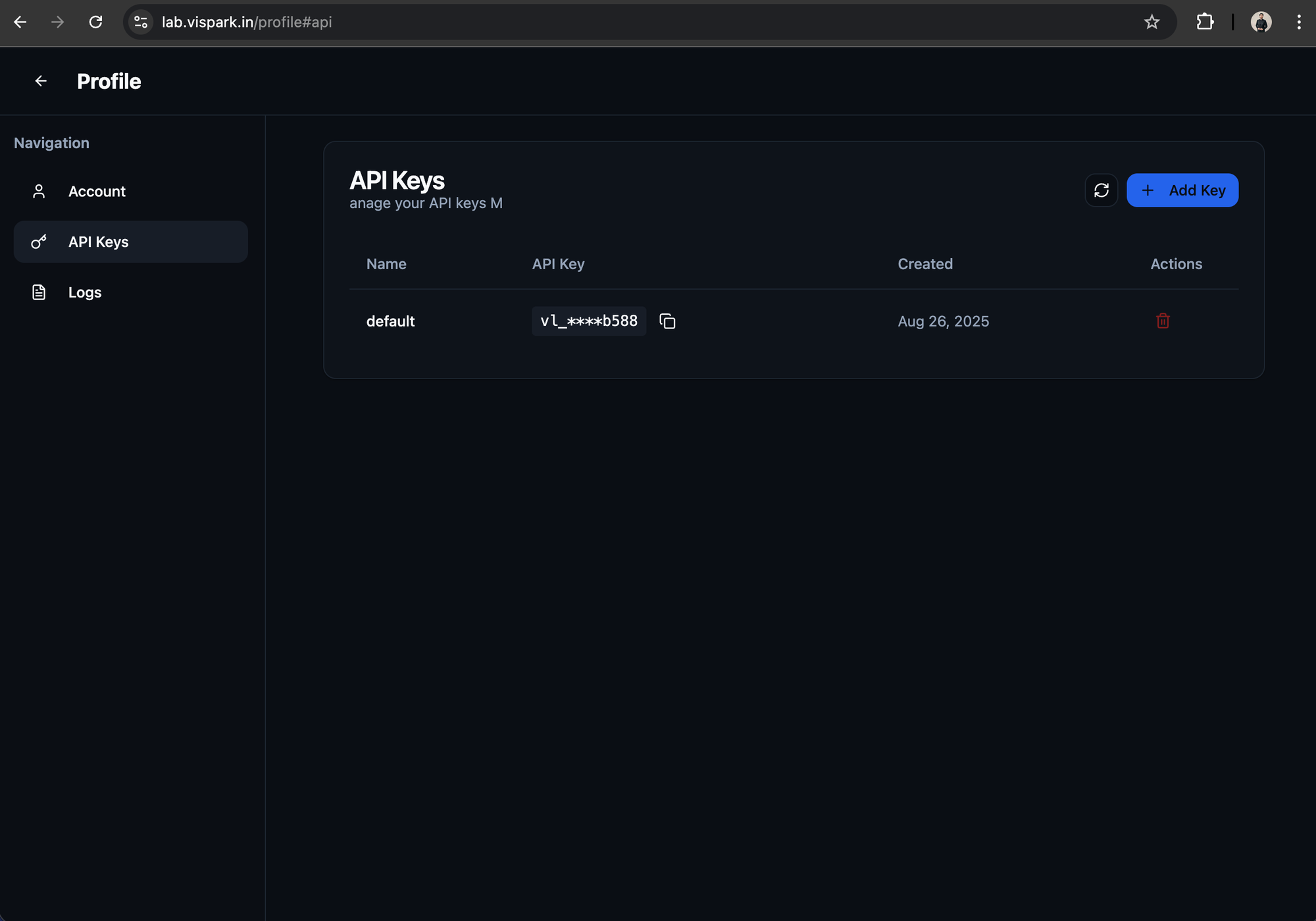
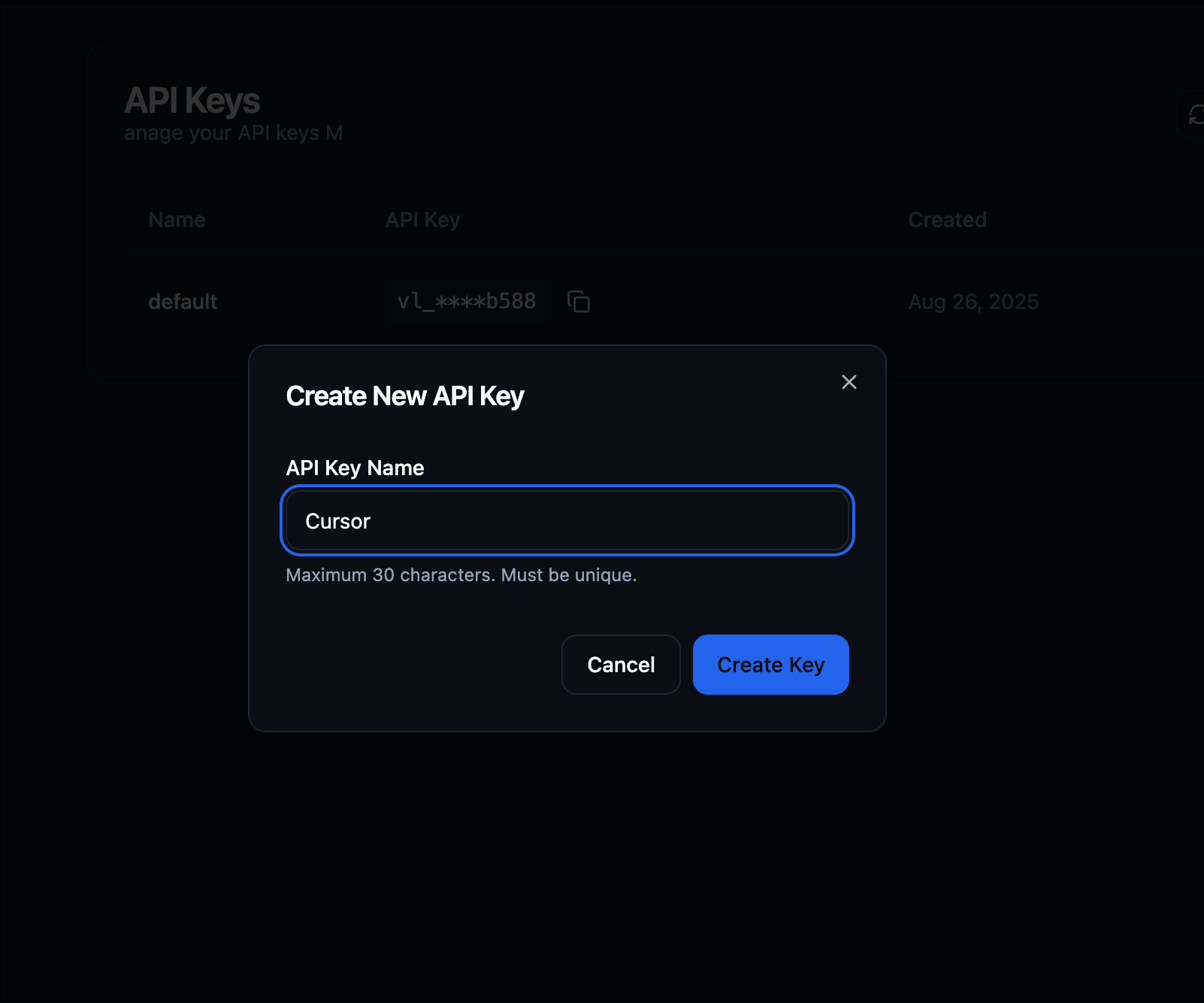
- Generate a New Key. You will see a button. It says 'Add Key'. Press it. It will ask for a name. Name it for its purpose. 'Cursor' is a good, honest name. Click 'Generate key'. A new key will appear. It is a long, secret string of characters. This is your proof of entry. Copy it.
- Add Fuel. An engine needs fuel to run. Go to your profile page. Add some credits to your account. This is what the AI will run on. It is a fair exchange. Good work for a small price.
You now have the key. You have the fuel. The preparation is done.
The Integration: Placing the Mind in the Machine
Now you go to your code editor. To Cursor. You have a key, and you have a lock.
- Open the Settings. In the top right corner of Cursor, there is a gear icon. The symbol for settings. Click it.
- Find the Models. A menu will open. You are looking for 'Models'. Here, Cursor keeps the list of brains it can use.
- Add a New Mind. You will find a button to 'Add Custom Model'. Click it. A space will appear, waiting for a name. You must name it correctly. You have three choices, depending on the power you need. Type the one you want, exactly as it is written:
- vispark/vision-small
- vispark/vision-medium
- vispark/vision-large
- Present the Key. Below, you will see a dropdown menu for 'API Keys'. Click it. It will ask for an OpenAI API Key. This is a small deception. A trick of the interface. You will give it your Vispark key. Put the clean key in the dirty slot. It will work.
Show It the Door. Finally, you must change the address. By default, the tool looks toward OpenAI's servers. A crowded, distant place. You must turn its head. Tell it to look toward home. Find the field for the base URL. Overwrite what is there with this address:
https://api.lab.vispark.in
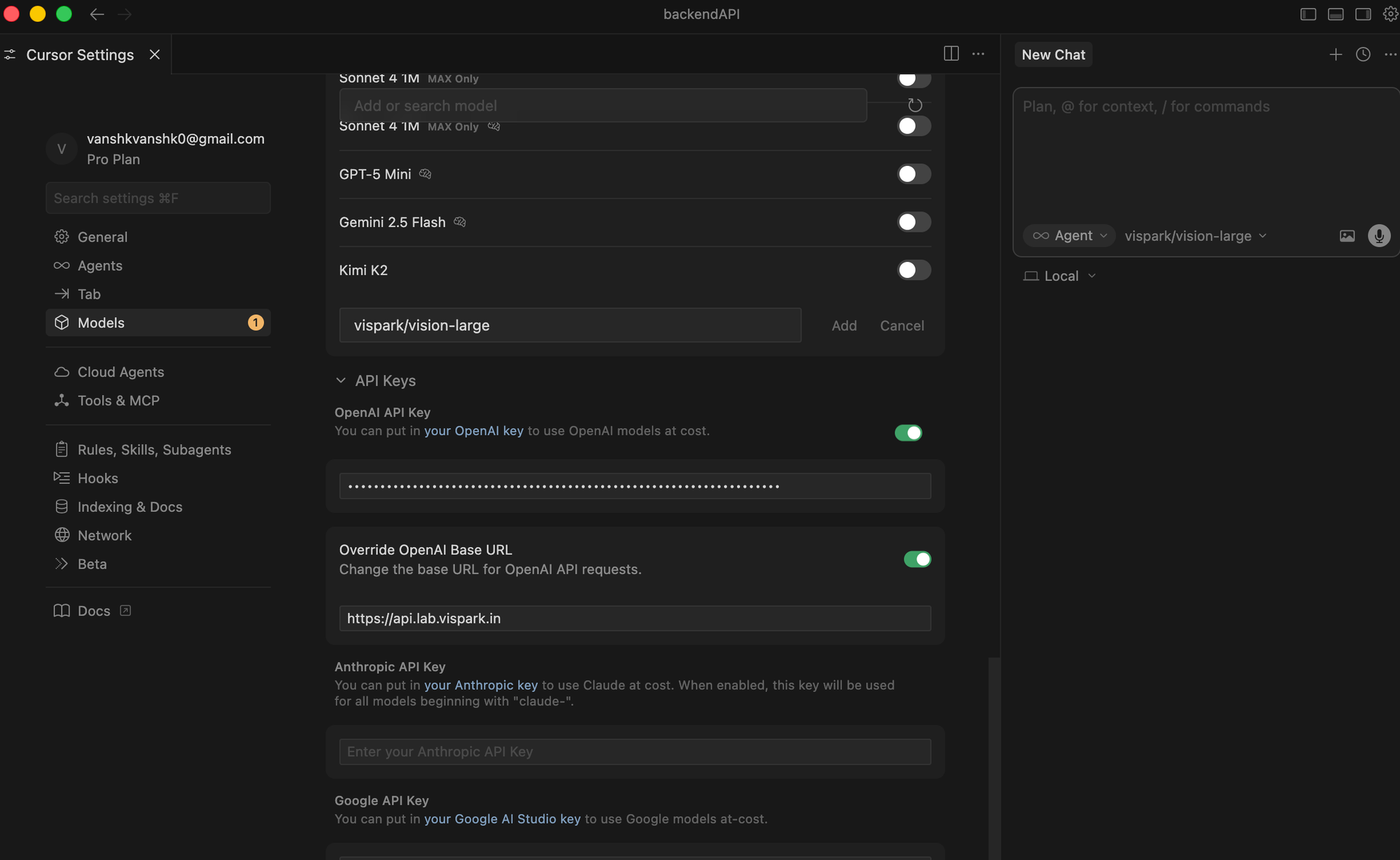
That is all. The work is done. You have wired a true mind into your editor.
The Work Begins
Now, you write code.
When you open the chat, you can select the model. Choose the Vispark model you just added. You are no longer speaking to a generic assistant. You are speaking to Vision.
You find a block of code. It is ugly. A knot of bad logic. You highlight it. You ask Vision: "Make this clean." And the knot is untangled. The code is rewritten. It is simple. It is strong.
You face a complex algorithm you do not understand. You ask Vision: "Explain this to me like I am a carpenter building a staircase." And it does. It understands you. It remembers your past questions. It explains it in a way that fits your mind.
You need to write tests. A tedious, soul-crushing task. You give Vision the file. You say: "Write the tests for this." It reads the code. It understands the purpose. It writes the tests. Good ones.
The code is not the work. The thinking is the work. We made a tool for the thinker.
You have removed the noise from the room. Now there is only the silence, the problem, and a good, sharp tool in your hand.
Go build something true.
